

NeuraTiM Timer
Set your timer and get on with your day.
Stretch every hour. Brew your tea. Time a lap. Plan a workout. Remember your medication. Six timer types in one free app, with settings you can reuse and alerts you can make your own. Works offline, with no account or in-app tracking.
How it works
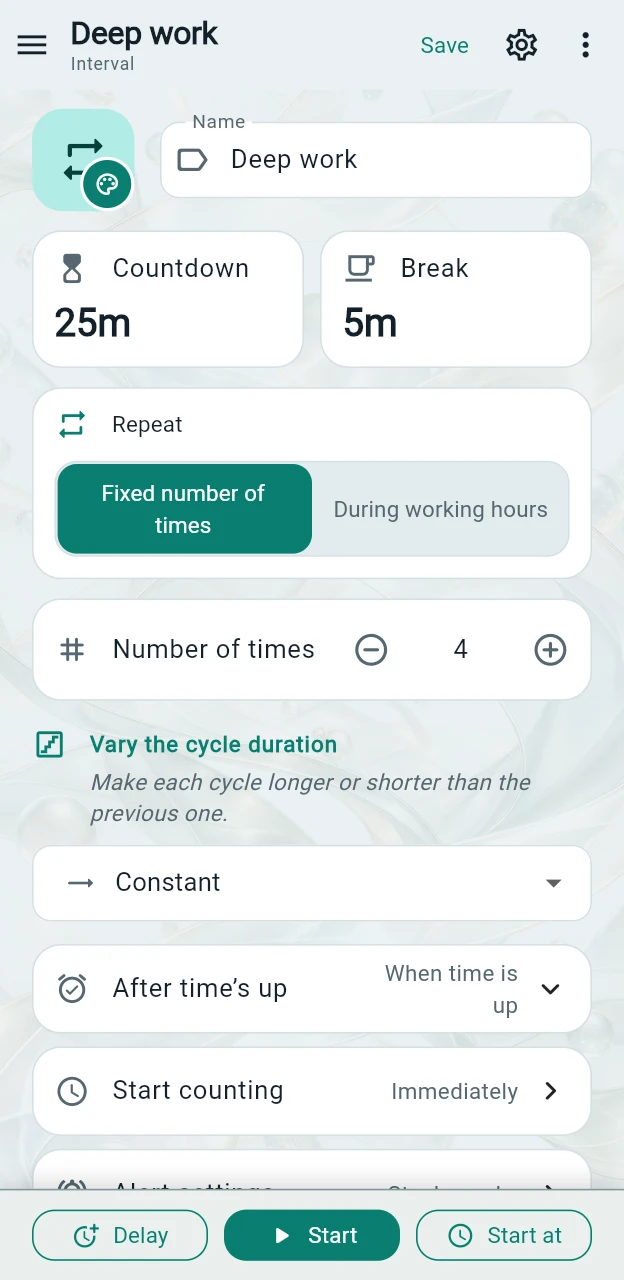
One main screen. Everything within reach.
The main screen shows your selected timer. Switch timers in the side menu, then set them up and use them without moving between separate editing and running screens.
Step 1
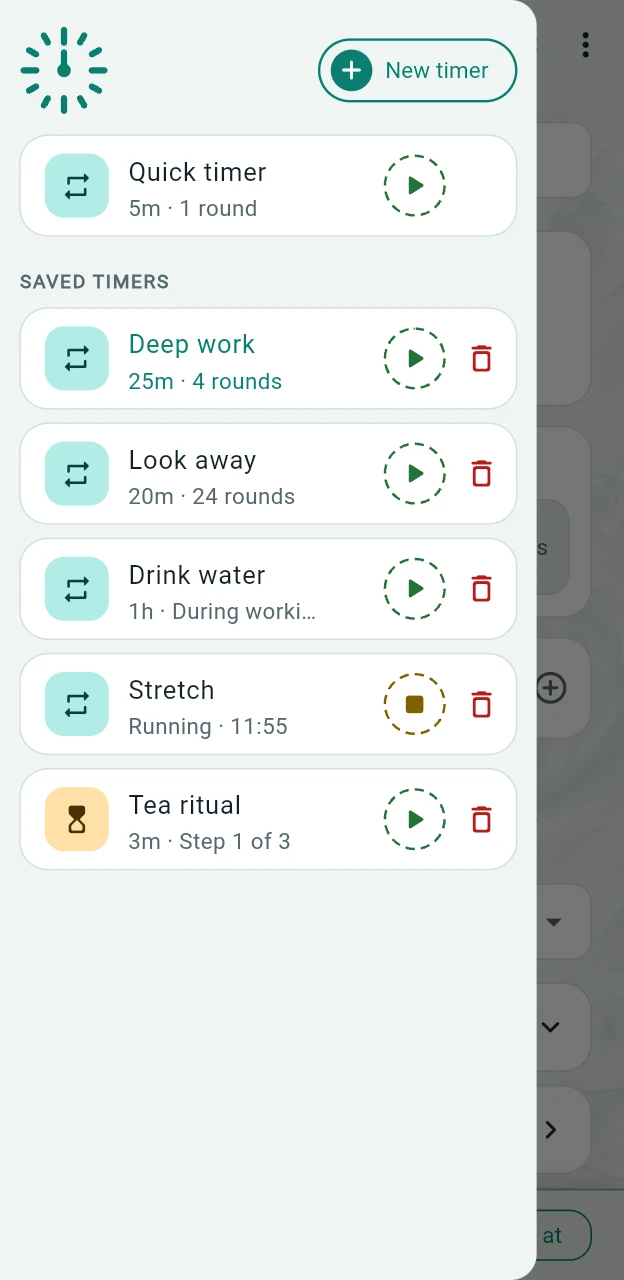
Choose a saved timer or use the quick timer
The quick timer remembers your last settings and stays separate from your saved timers. The menu shows each saved timer’s settings summary, or its current status while it is running.
Step 2
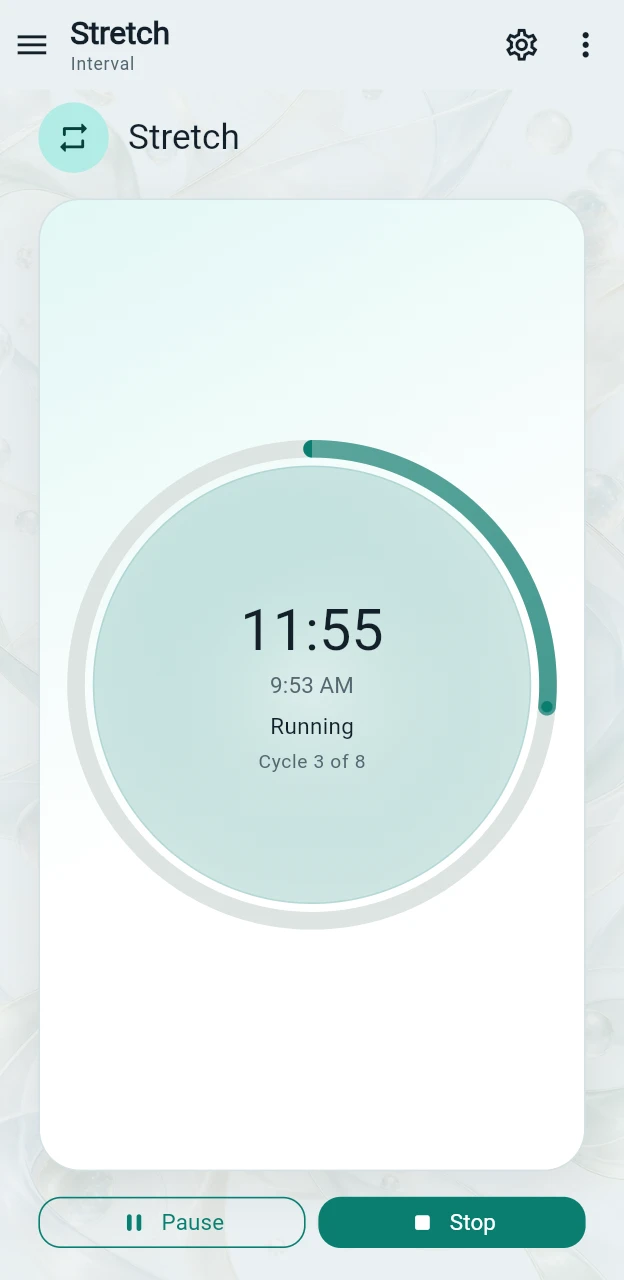
Start now — no need to save first
Start immediately, delay by 5, 10, 15, 30 or 60 minutes, or choose a date and time. The editor folds away to show the running timer: a progress ring, an hourglass or your current exercise.
Step 3
Let the timer get your attention
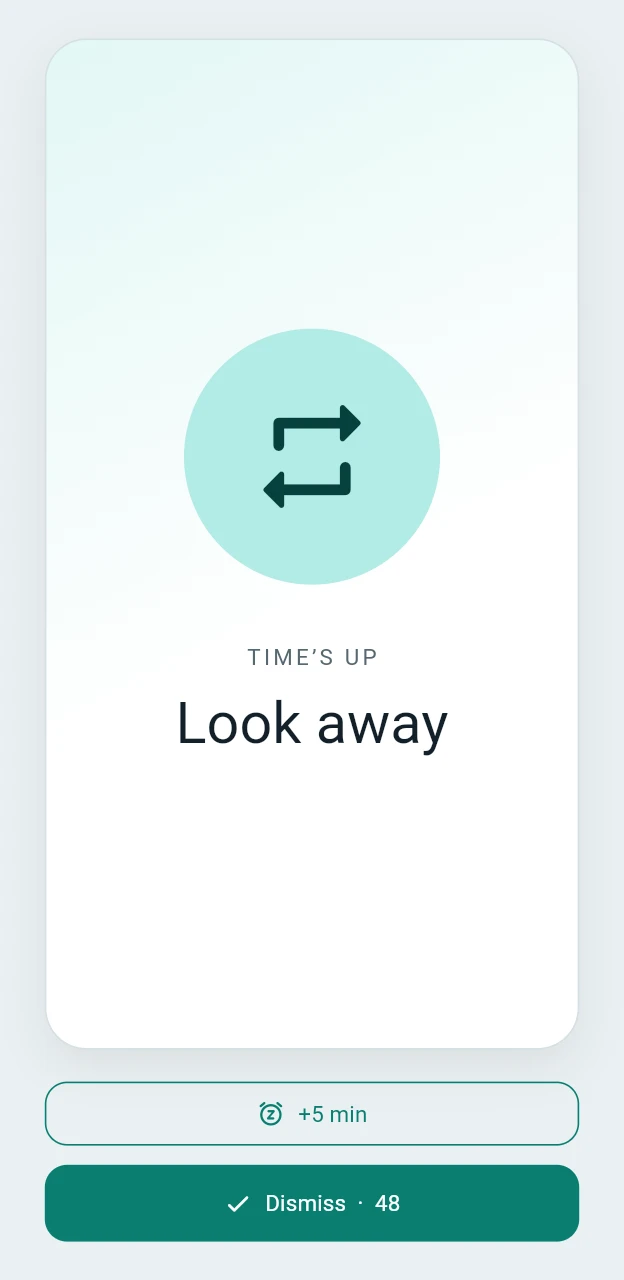
When the countdown ends, a clear alert lets you dismiss it with one tap. On mobile, scheduled local alerts can also work in the background. Lock-screen display depends on your device and permissions.
Six timer types
Different tasks. The right timer for each.
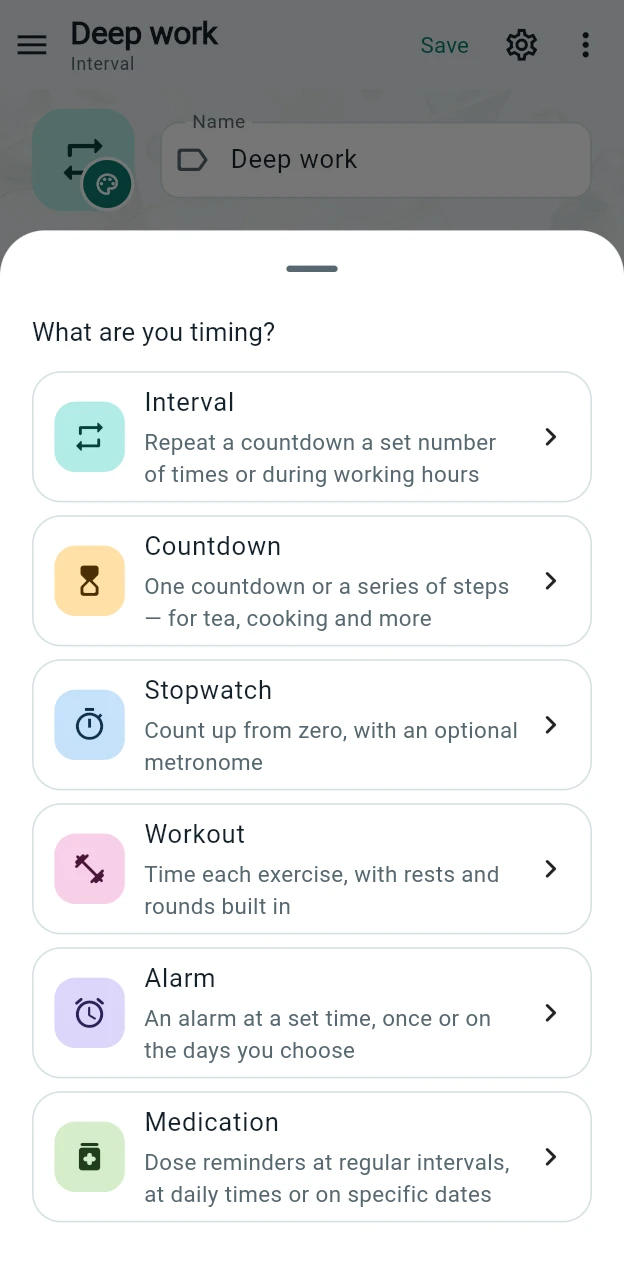
Brewing tea, timing laps and remembering medication need different controls. Choose a timer type first, and the editor adapts to what you need.
Interval
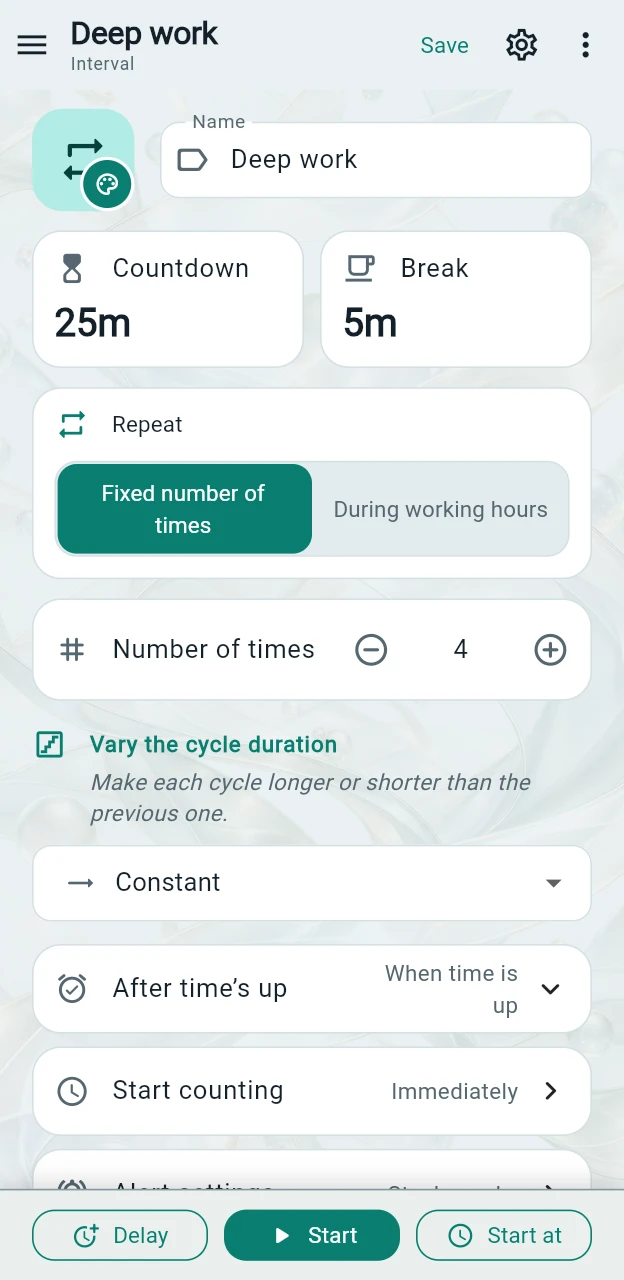
A repeating countdown for regular reminders, focus sessions or routines during working hours.
Countdown
A countdown for tea, laundry or parking, with optional timed steps. The finished step stays visible until you continue or stop.
Stopwatch
Count up from zero, record laps and compare times. Shows hundredths of a second for sessions under an hour and runs for up to 99 hours. Add a once-per-second metronome click, with 40 sounds to choose from.
Workout
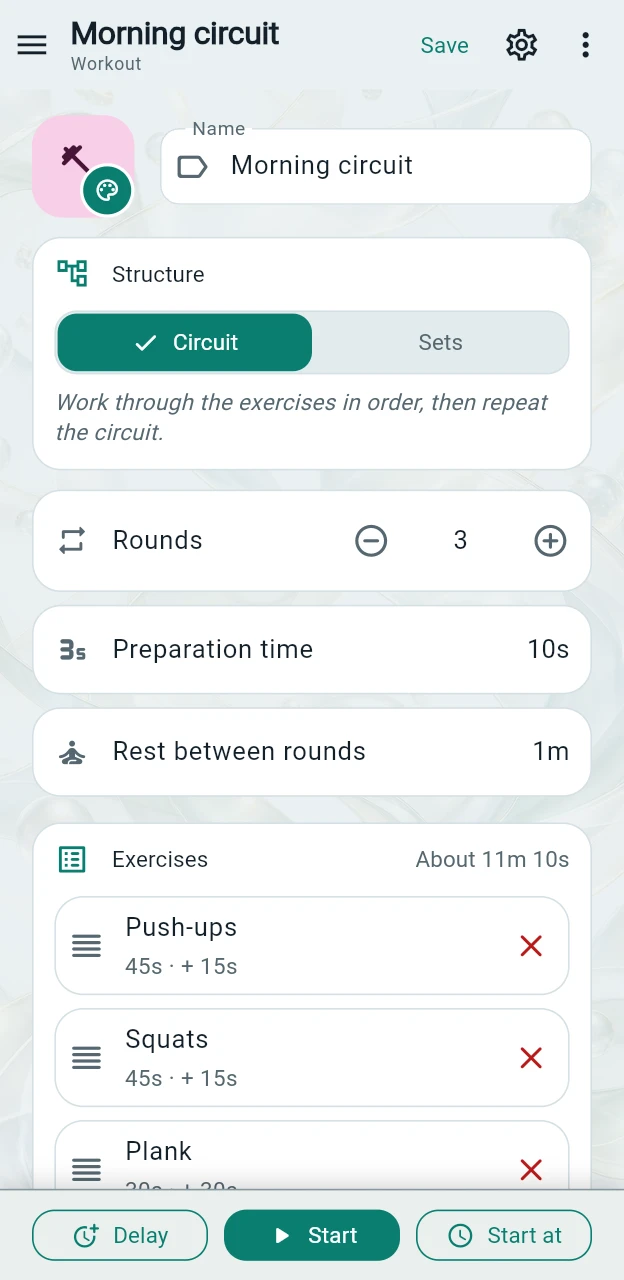
Time exercises and rests in rounds, either as a circuit or as sets of each exercise.
Alarm
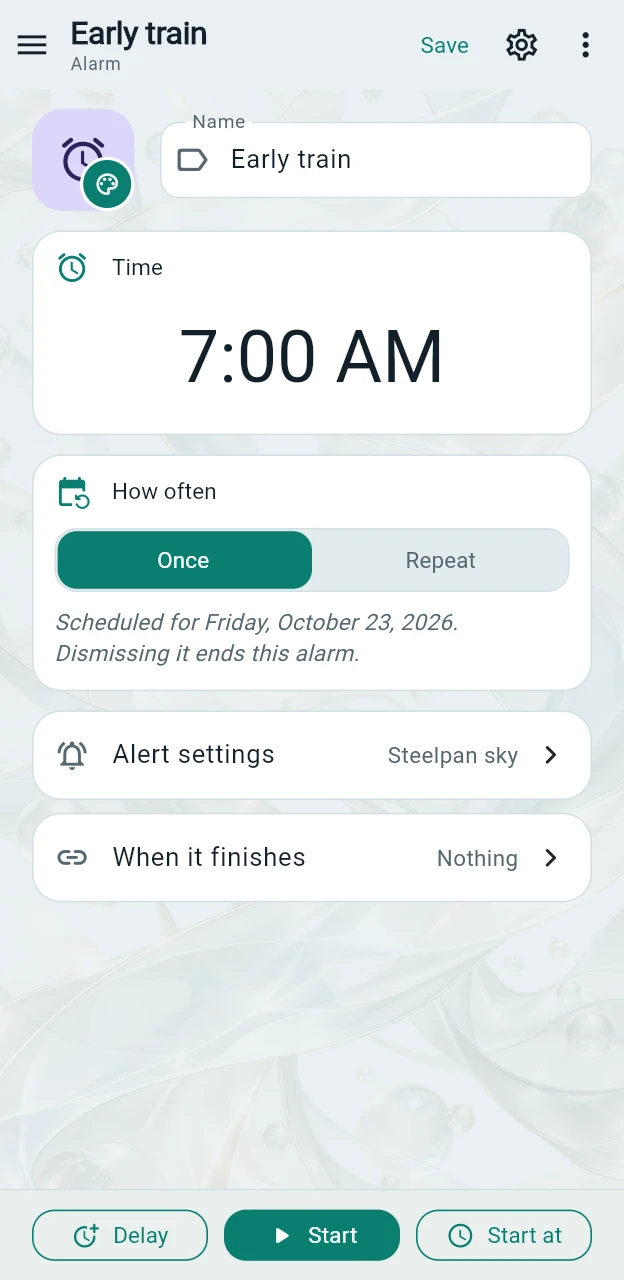
An alert at a chosen time of day, once or on selected days of the week.
Medication
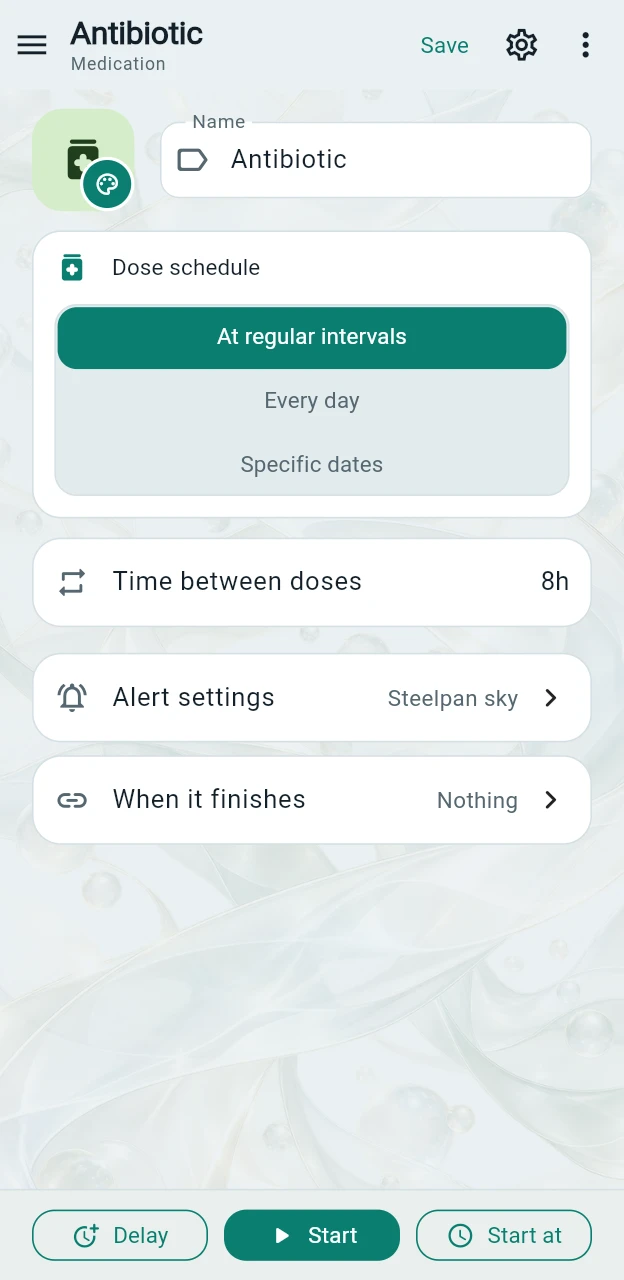
Schedule dose reminders at regular intervals, at daily times or on specific dates. Upcoming reminders are scheduled in advance.
Interval
A useful rhythm, repeated for you.
Alternate focus and breaks, rest your eyes or build a working-hours routine. Each timer keeps its own duration, break, repeat rule and start time.
Countdown
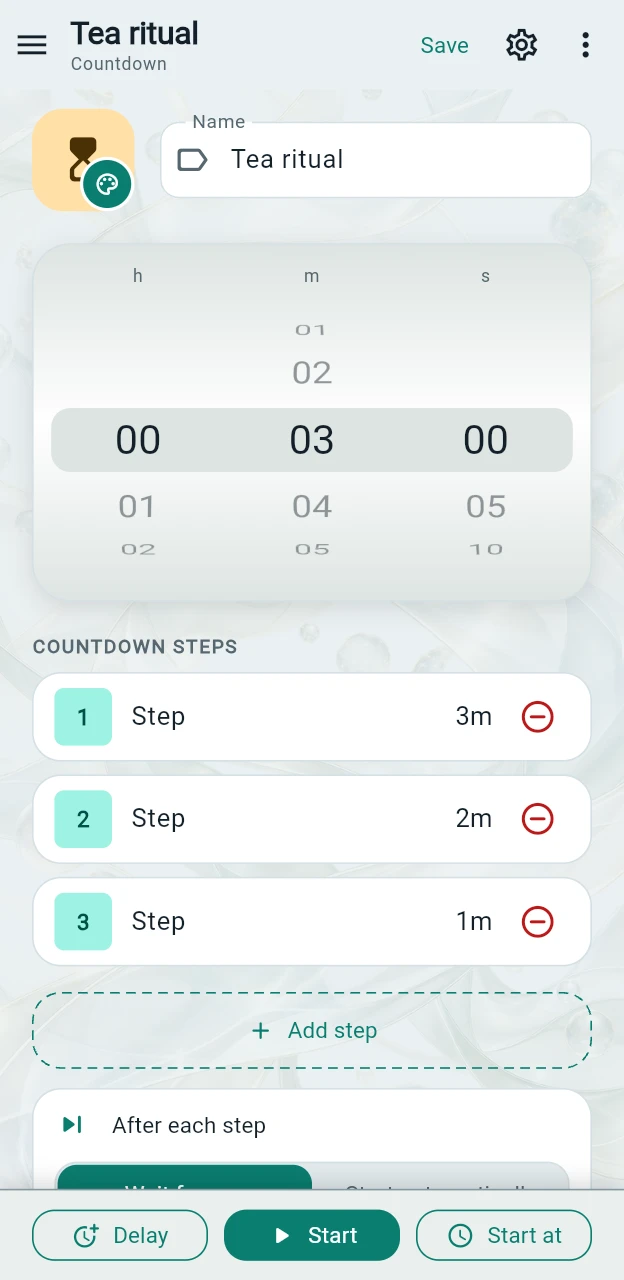
Set the duration. Add timed steps.
Use the wheels to set precise hours, minutes and seconds. Add timed steps and choose whether each next step starts automatically or waits for you. When it waits, use Start next, Reset or Stop.
Stopwatch
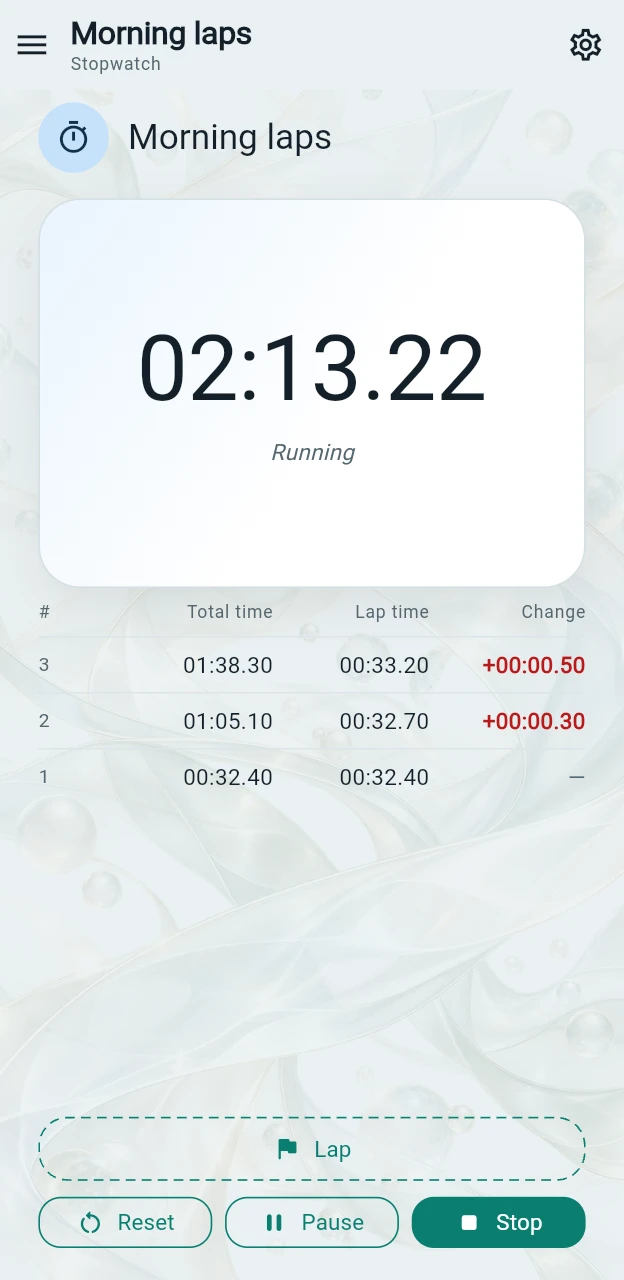
Start counting. Capture every lap.
The stopwatch shows hundredths of a second below one hour, then switches to hours, minutes and seconds. It stops at 99 hours. Metronome mode adds a swinging pendulum and a click each second. Tap Lap to record the elapsed time, lap duration and difference from the previous lap; a negative difference means a faster lap. When you stop, the lap list and total stay in the editor.
Workout
Your exercises, rests and rounds — in order.
Choose a circuit to work through all exercises each round, or sets to finish one exercise before moving to the next. Set each exercise’s duration and rest, with optional manual transitions. Sound and vibration mark transitions without a full-screen alert interrupting your workout.
Alarm
A time of day, not a duration.
Set a clock time, such as 7:00, and choose a one-off alarm or repeat it on selected weekdays. Unlike a countdown, the alarm follows a time-of-day schedule rather than a fixed number of minutes from the start.
Medication
Reminders that fit your dose schedule.
Choose an interval, daily times or specific future dates. Upcoming reminders are scheduled in advance, independently of dismissing the current alert. On iOS and iPadOS 26 or later, AlarmKit can sound through Silent Mode and Focus after you grant Alarms permission. Older iOS versions do not offer the same behaviour here. Always check permissions and device settings; a reminder does not confirm that a dose was taken.
Styles
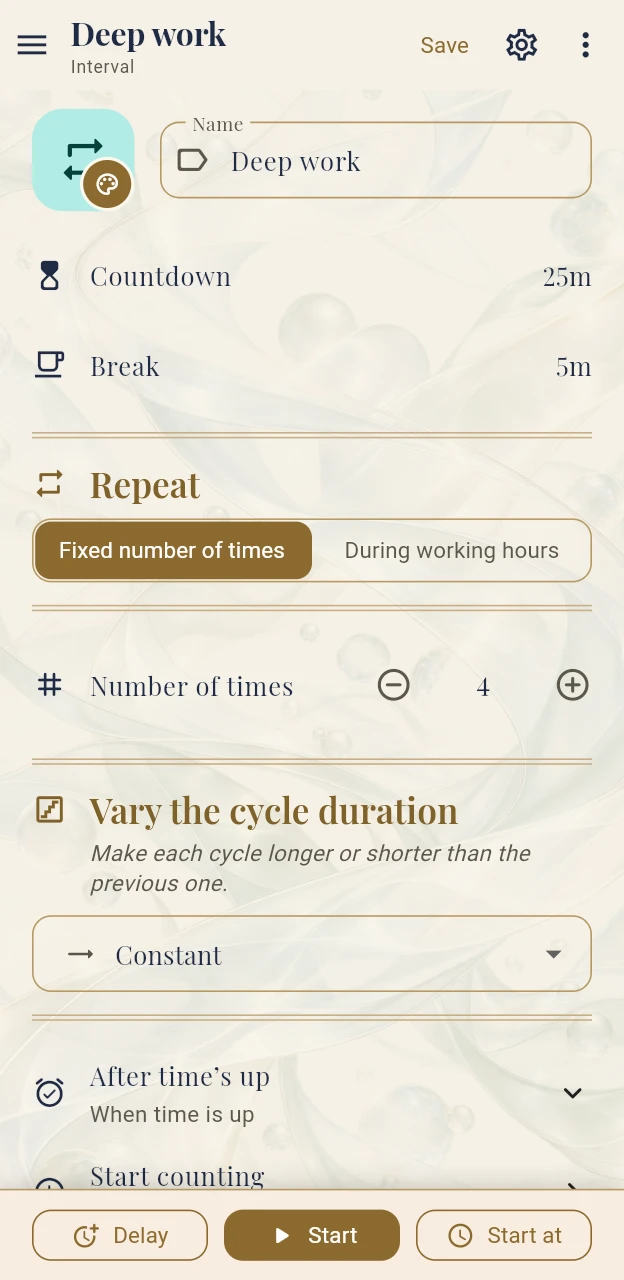
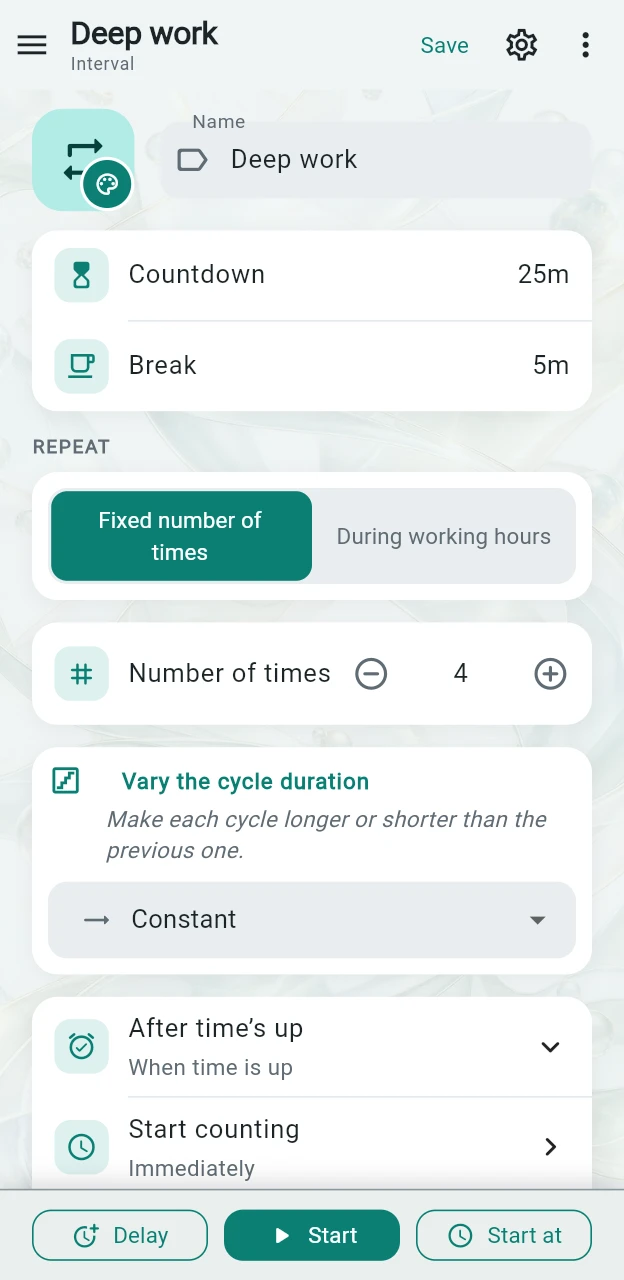
Four styles, each in light and dark.
Choose how the whole app looks in Settings → Appearance → Style. Every screen follows the style you pick, and each style has a light and a dark variant that follows your theme.
Light 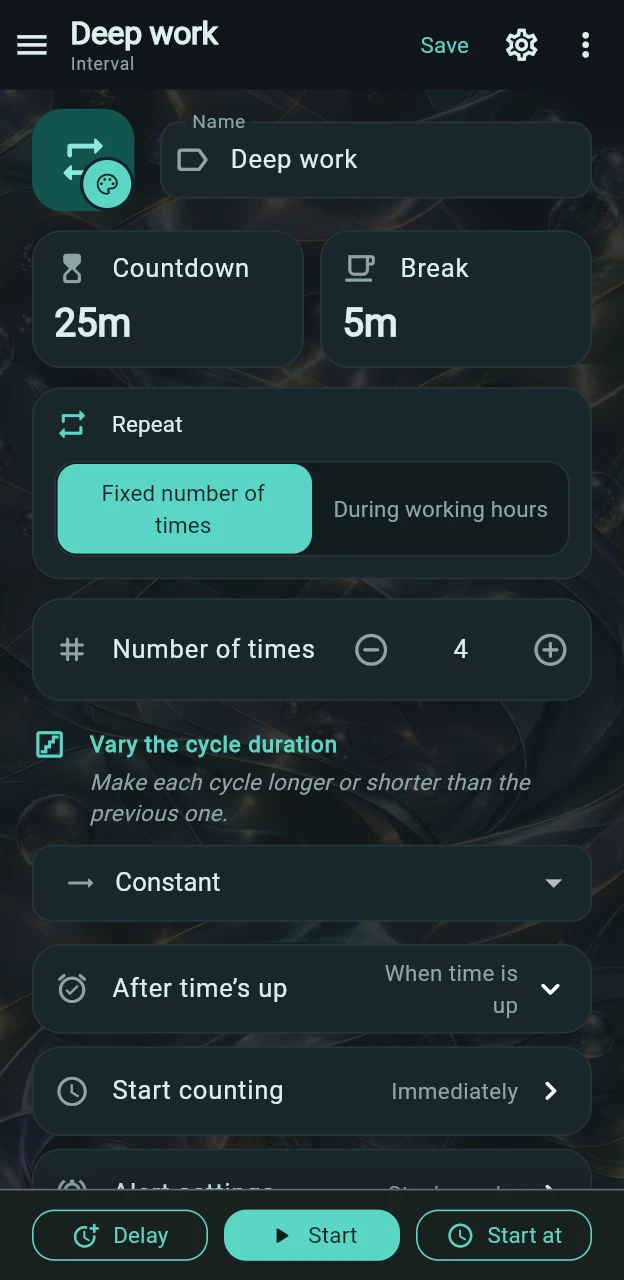
Dark Night bentoDefault
Bento tiles with mint accents: countdown and break side by side, and a range bar for working hours.
Light 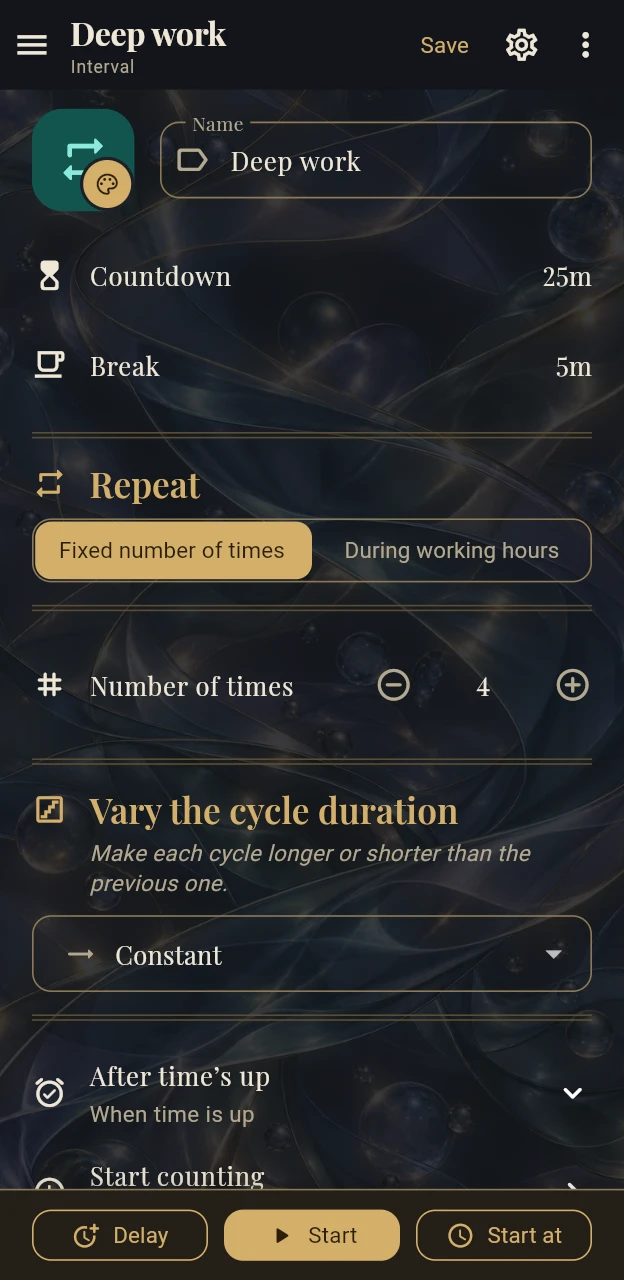
Dark Watchmaker
A watch dial in print: serif titles, brass accents, fine double rules between sections and a 24-hour ruler for working hours.
Light 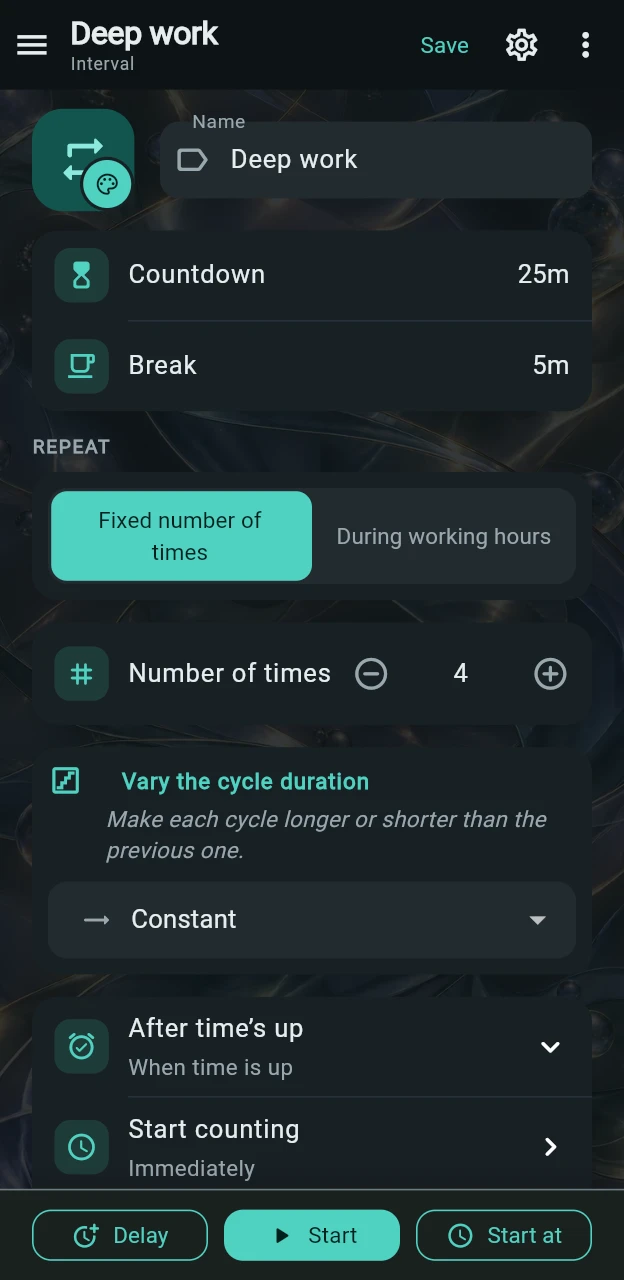
Dark Inset groups
Rows grouped in rounded cards of equal height, with small captions and icons in tinted squares.
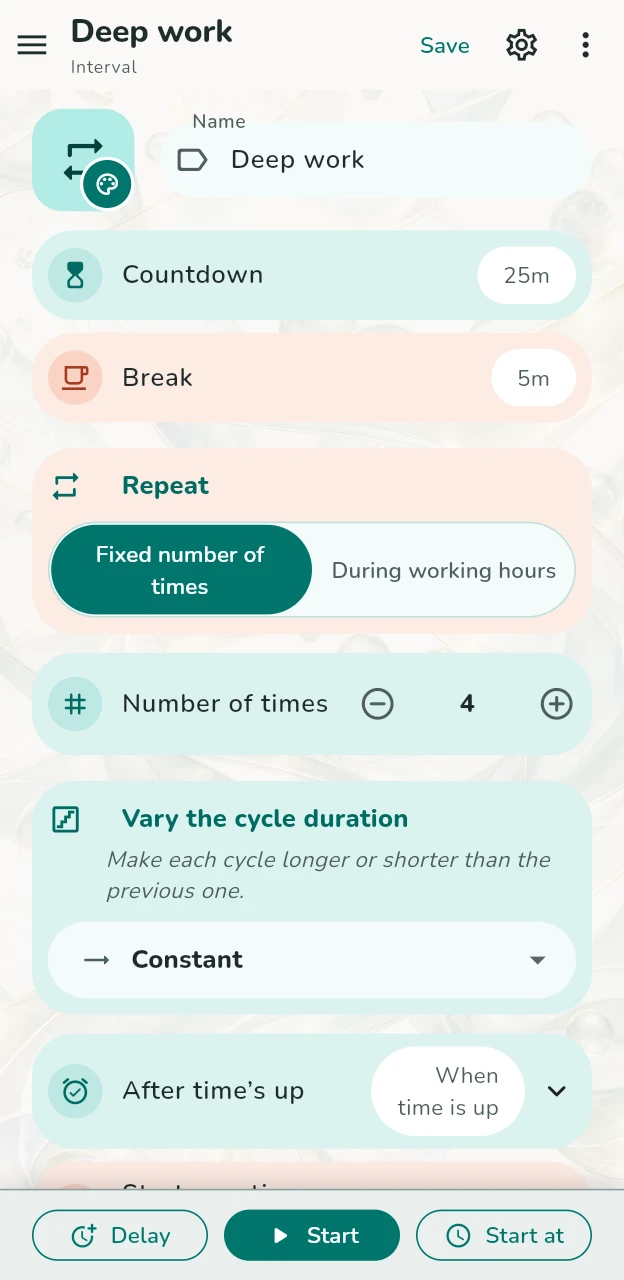
Light 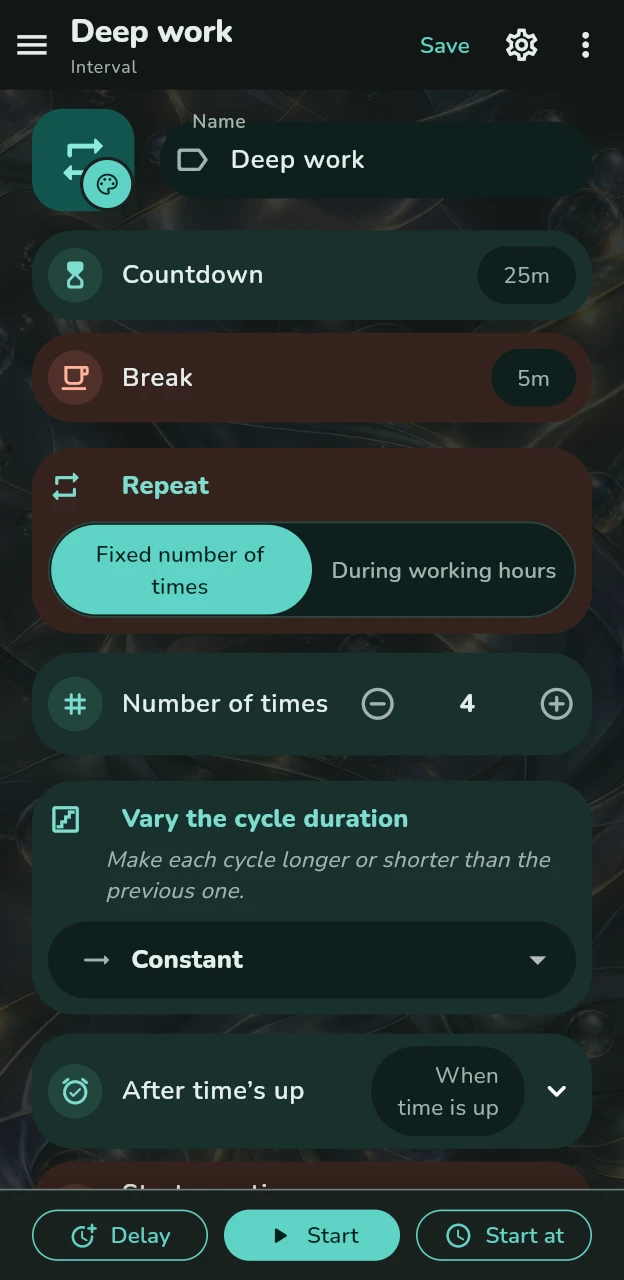
Dark Expressive tonal
Teal and coral tonal containers, round icon badges and values in pills, set in rounded bold type.
Every picture shows the same Interval timer, captured from the app.
Make it yours
Set it up. Make it yours.
Give timers their own colours, share a setup without an account, and look back at completed or stopped sessions.
Make it yours
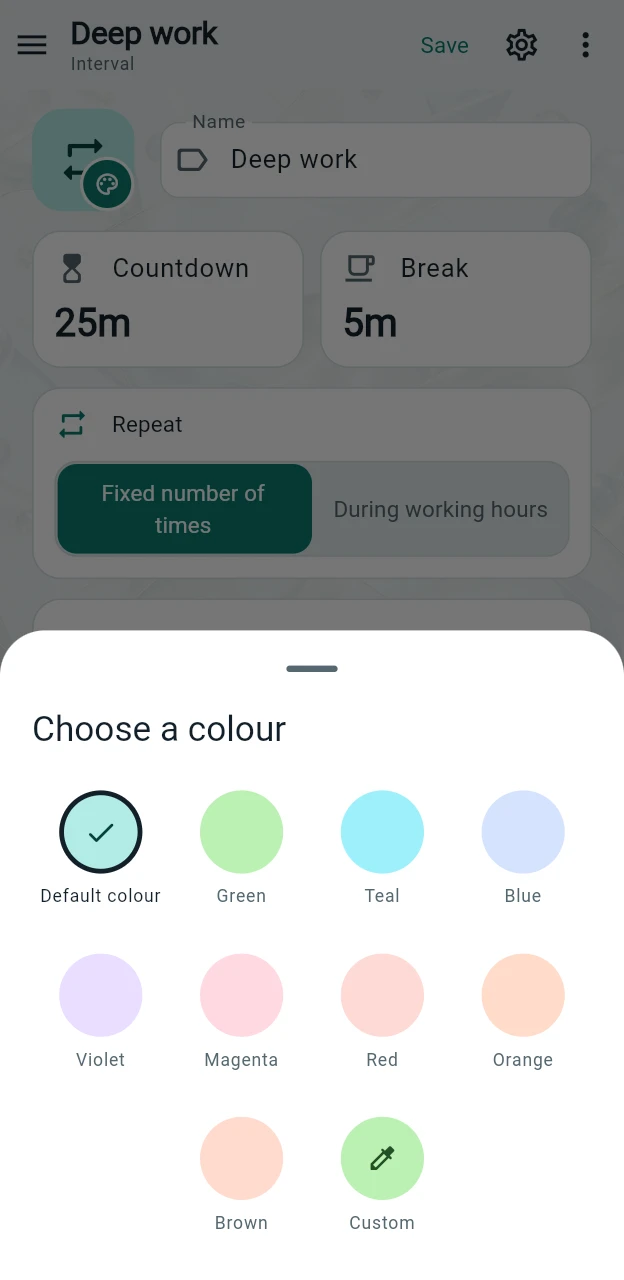
A colour that stands out to you.
Choose from eight colours, or keep the default. The timer’s badge previews your choice immediately, making saved timers easier to recognise.
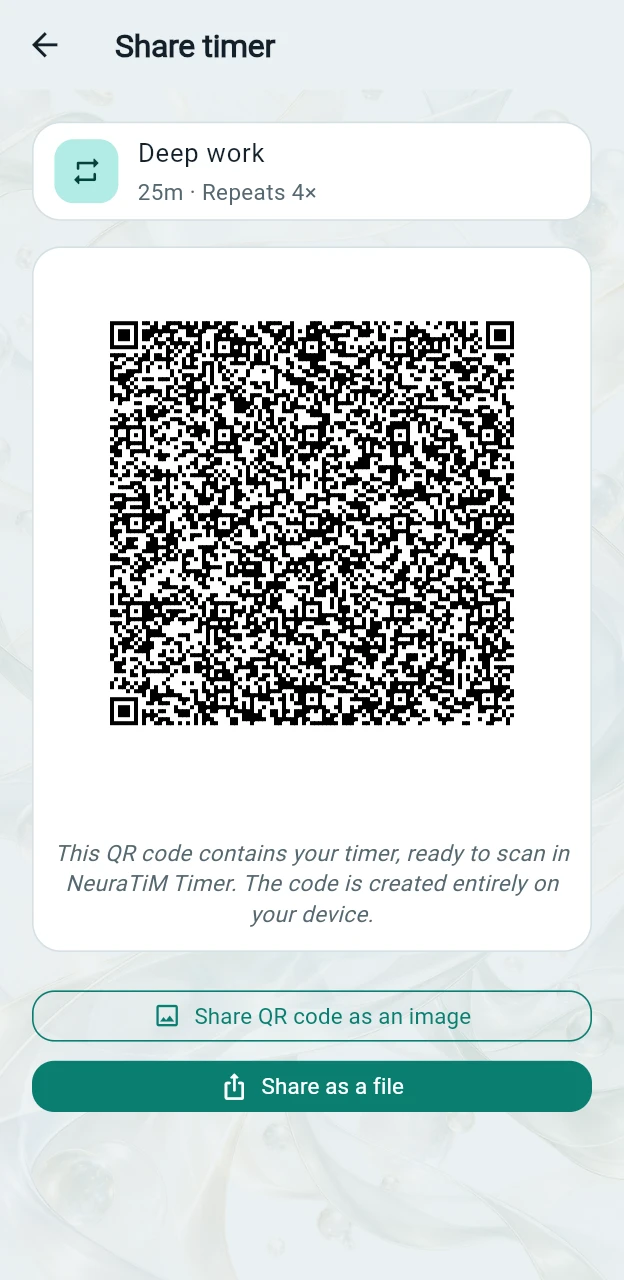
Share a setup
Share a timer by holding up your phone.
Show a timer’s QR code for someone else to scan, or share it as a file when the setup is too large for a code. Both are generated on your device. Imports are previewed and added as new timers, without replacing existing ones.
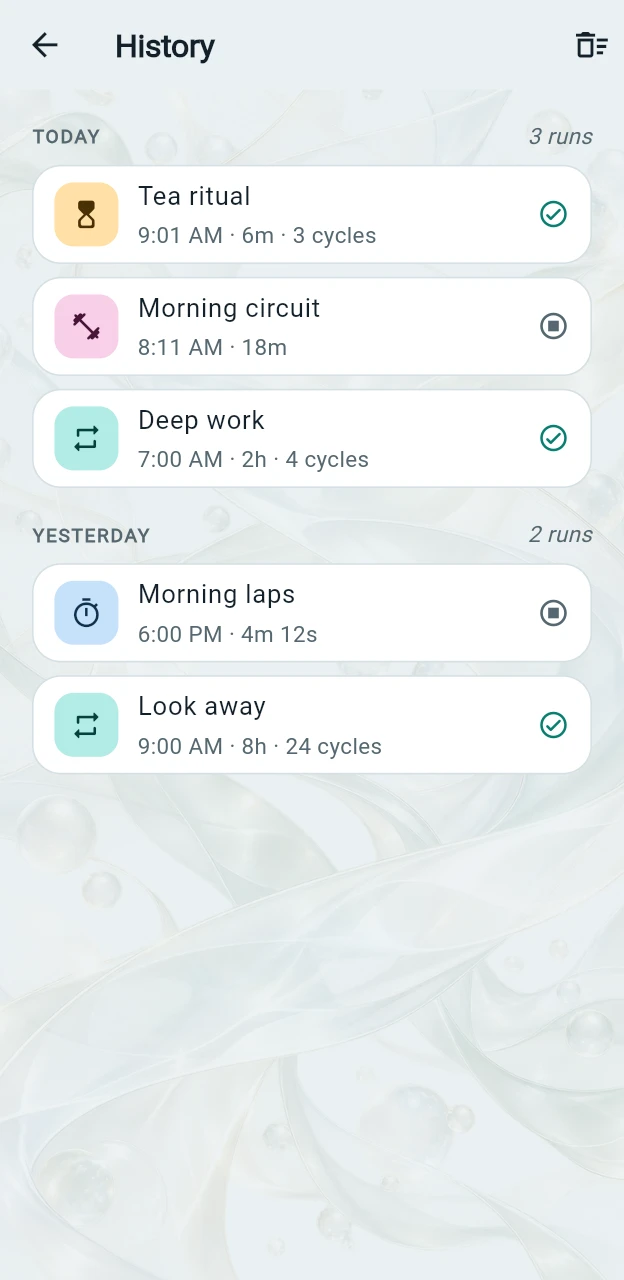
Look back
A record of your sessions.
History records how long each session lasted and whether it finished or was stopped. Renaming or deleting a timer does not change earlier entries. History stays on your device, has a size limit, and can be cleared at once.
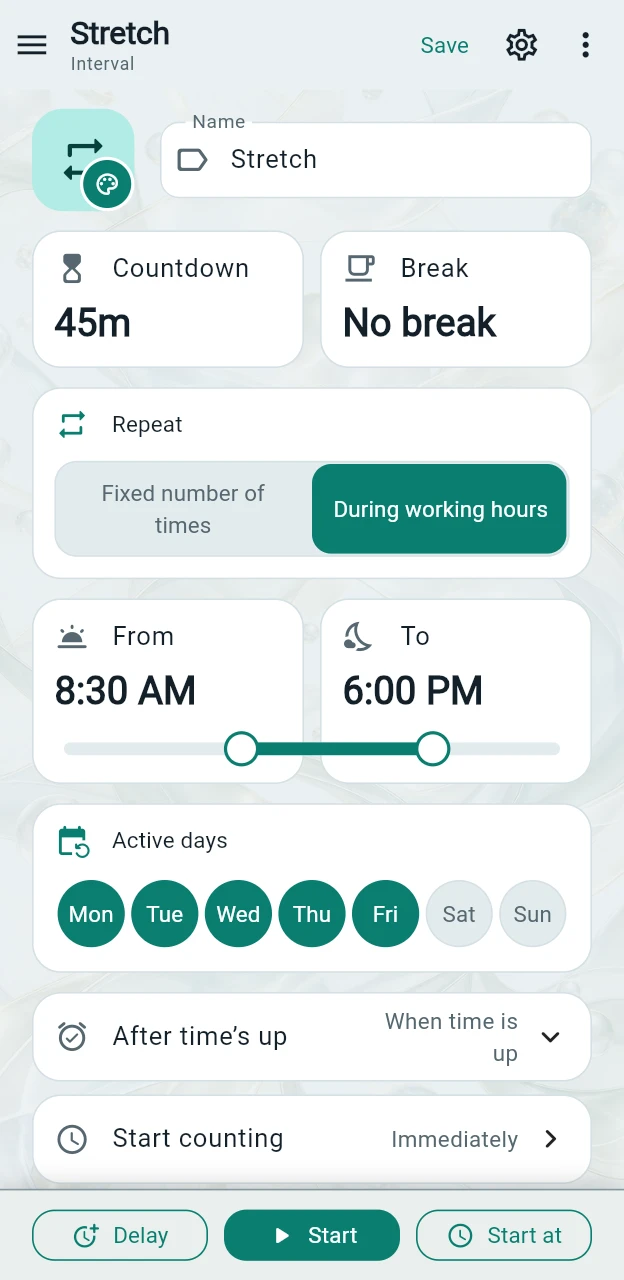
Working hours
Repeat during the hours that suit you.
Need a stretch reminder every 45 minutes, but only on workdays? Choose a daily time window and active weekdays. The timer runs complete cycles within that window and resumes on the next active day.
Choose a start and end time
Set From and To to define the daily window. The timer stays quiet outside those hours.
Only the days you choose
Choose the weekdays that suit your routine. A Monday-to-Friday timer pauses for the weekend and resumes on Monday.
Keep each cycle complete
A new cycle starts only if its full countdown and break fit before the window ends. The app does not shorten the final interval to squeeze it in.
Alerts
Your timer. Your kind of alert.
A gentle nudge to stretch or an alarm that demands attention: choose the sound, repeat pattern, vibration and on-screen duration for each timer.
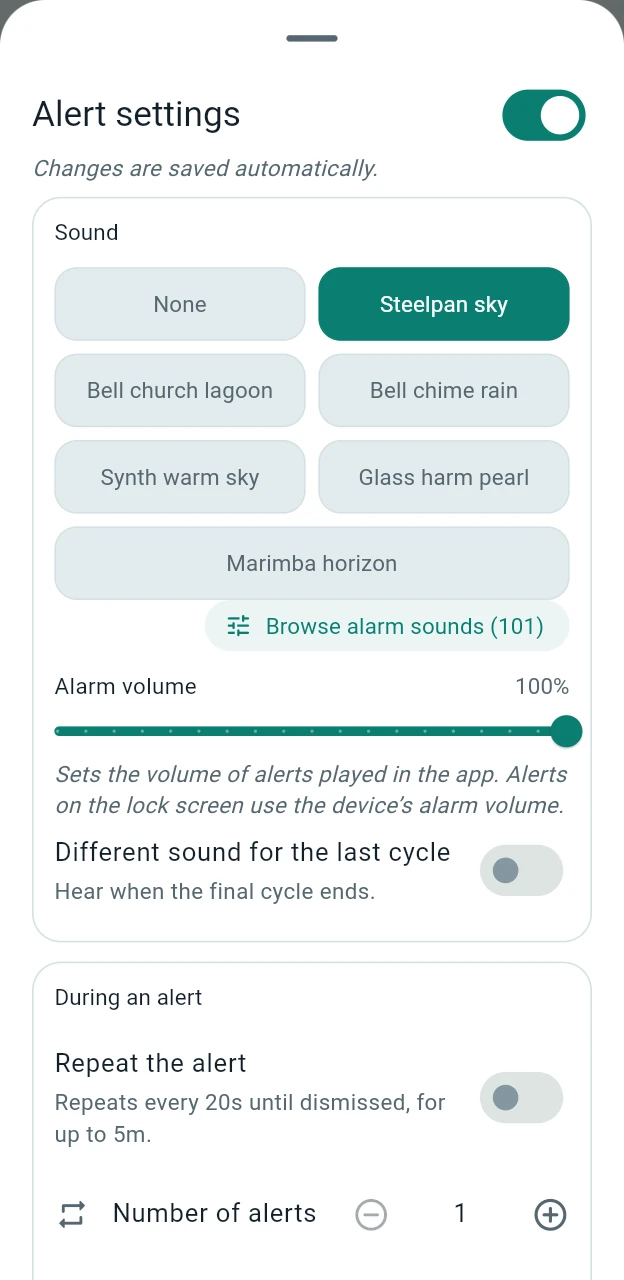
Over 100 sounds, ready to play
Choose from 101 alarm sounds and 40 ticks and clicks for countdown cues and the metronome. They are all included in the app. Tap a sound to preview it.
Add your own sound
Add a WAV file to the app’s sounds folder to include it in the list under its filename. The sound plays locally, without streaming or downloading.
Easy to see, even on the lock screen
Alerts show the timer’s icon and name with a large Dismiss button. On supported devices, they can also appear over the lock screen when permissions allow. Repeating alerts stop when dismissed or when their time limit is reached.
A tick before the end
Hear a tick each second as the countdown nears its end. Add levels to change the cue in the final seconds; only the level closest to the end plays. Longer siren and horn sounds play every other second to avoid overlap.
Opens the live app with a 30-second countdown already running and a ticking cue for the final ten seconds. If there is no sound, tap inside the phone preview to enable audio.
A few to try
- Singing bowlA resonant shimmer with a long, spacious echo
- MarimbaThree warm, rising wooden notes
- KalimbaBright plucked notes on a five-note scale
- CrystalA high, clear tone with a gentle pulse
- DropletTwo quick drops with a light echo
- PulsarPulses that get faster and higher
- PebbleA soft, low thump with an airy finish, under a second
- AuroraA soft, sustained tone that gradually swells
- Neon pulse · Zenith · Lumen steps · …Twelve more short, modern sounds
- Chime · Bell · Digital · GentleThe four original sounds, in mono without reverb
Features
Time for your routines. No unnecessary extras.
One main screen
Return to the timer you last used, with its settings intact. Edit it and watch it run in the same place; use the side menu to switch timers.
A quick timer, always ready
The quick timer remembers your last settings without joining your saved list. Adjust it and start whenever you are ready.
Start without saving
Start a timer straight from the editor. Save it only when you want to keep it in your list for later.
Six timer types
Interval, countdown, stopwatch, workout, alarm and medication reminders. The stopwatch also has a metronome mode. Choose a type to see the controls that fit the task.
Individual alert settings
Choose each timer’s sound, alert repeat interval, vibration, on-screen duration and whether to keep the screen awake.
Works offline
Timers, settings and history are stored on your device. No account or cloud sync is needed to use the timers.
iOS · Android · Web
All six types are available on mobile and the web. Mobile alerts use local scheduling and require the appropriate permissions. On iOS 26 or later, medication reminders can use AlarmKit with your permission.
Privacy
Your timers stay yours.
The app stores timers, settings and history locally instead of collecting them on a developer-operated server. Sharing a timer is your choice, not an automatic upload.
- No account or sign-in
- No in-app analytics, trackers or advertising SDKs
- No developer-operated server storing your timers
- Local alerts scheduled by your device, not a remote push service
Stored on your device
Timer data is stored on this device. You decide whether to export or share it.
Free & supported by you
Free to use. Nothing to unlock.
Every feature is available for free on every platform. Tips are optional and never unlock extra features.
I cover development, hosting and distribution costs myself. If NeuraTiM Timer makes your day easier, a small tip helps support its upkeep. There is no obligation — your support is always appreciated.
Leave a tip
Other ways to support the app:
Questions about tipping? Get in touch
Get the app
Your timers, on your platform.
Use the web app or choose the mobile build for your device. Installation steps and availability depend on the platform.
Web
Open the app in a modern browser with nothing to install. Keep the tab open for alerts; browser and device restrictions may affect delivery.
Try itAndroid
In closed testing on Google Play. Join the tester list and it installs like any other app.


